

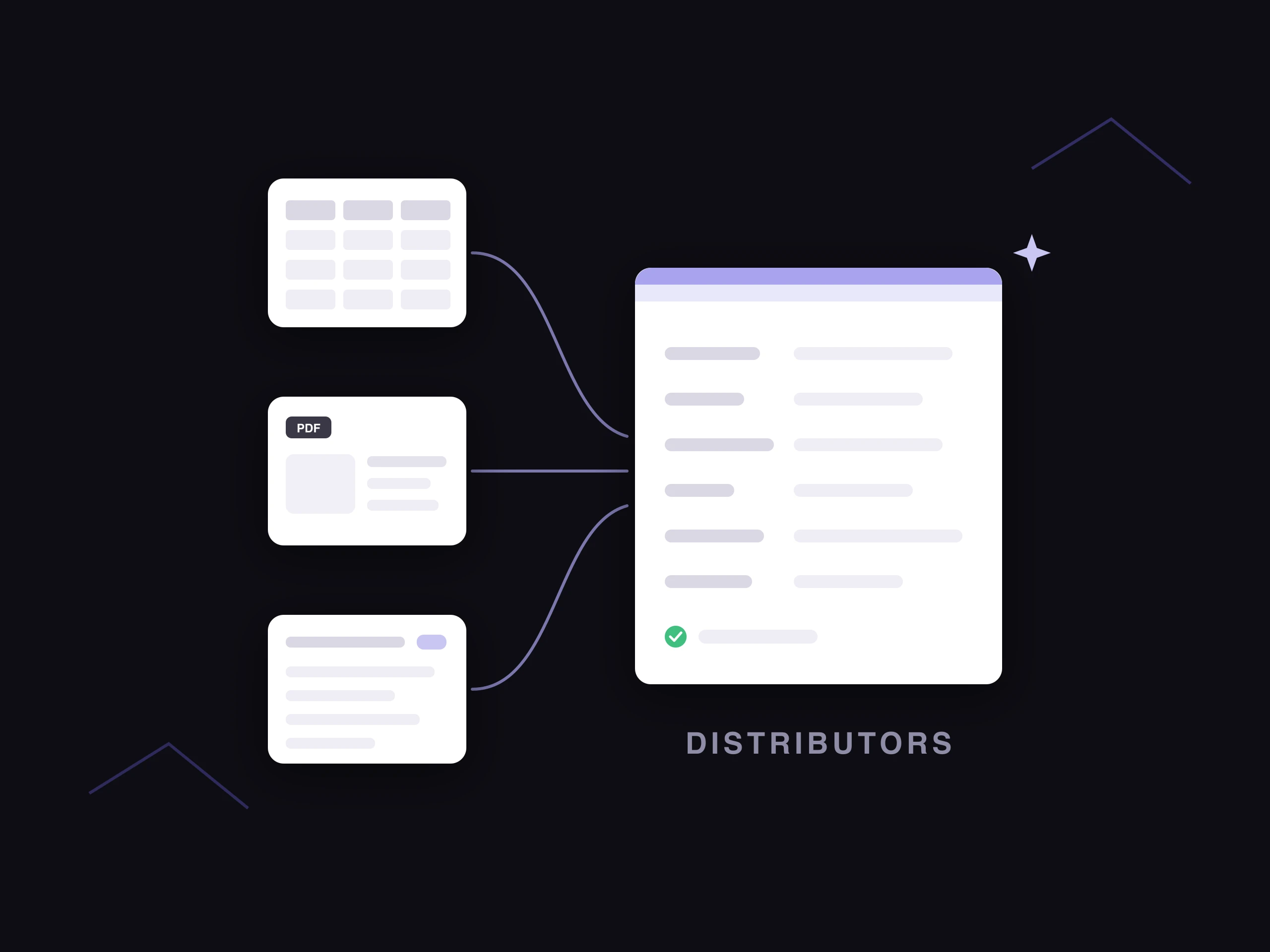
A PIM (product information management system) is the software that holds every product's data in one place and sends it to every channel you sell on. Suppliers and internal systems feed data in. The PIM turns it into one complete, consistent record per product and publishes the right version to each website and marketplace.
This guide covers product information management, the software ecommerce and catalog teams use.
Take a home goods retailer with 20,000 SKUs, selling on its own site and on marketplaces like Amazon. The data for a single sofa arrives in pieces. The supplier sends a spreadsheet row, dimensions sit in the ERP, photos live in a shared drive and the copy is in a Google Doc.
Without a central record, someone copies those pieces into each channel by hand, and each channel ends up describing a slightly different sofa. With a PIM, the sofa has one record. Every channel pulls from it, and a fix made once shows up everywhere.
What is a PIM system?
Product information management covers two things: the practice of managing product data, and the software built for it. When people say "a PIM", they usually mean the software, also called a PIM system or PIM platform.
A PIM system is the system of record for product content: the attributes, copy, images and documents that describe a product and help someone buy it.
It sits between the systems that create product data (ERP, PLM, supplier feeds, spreadsheets) and the places that display it (your ecommerce site, marketplaces, retail partners, print catalogs).
What data does a PIM store?
A PIM stores everything a shopper or a sales channel needs to know about a product. Here is what that looks like for the sofa.
| Data type | What it covers | Sofa example |
|---|---|---|
| Identifiers | SKU, GTIN or UPC, model number | SKU HG-SOFA-0412 and its GTIN |
| Technical attributes | Dimensions, materials, weight, color | 84" wide, performance linen, oak legs |
| Marketing content | Titles, descriptions, bullets, SEO metadata | Product title and a 150-word description |
| Digital assets | Images, videos, spec sheets, assembly guides | Six photos and an assembly PDF |
| Categorization | Category, taxonomy, tags, filter values | Living Room > Sofas > Three-Seat |
| Relationships | Variants, bundles, accessories | Four fabric colors and a matching loveseat |
| Localized content | Translations, regional units and formats | Centimeters and French copy for the Canadian site |
| Channel-specific fields | Each channel's required attributes and formats | Amazon's white-background main image |
| Compliance data | Certifications, safety labels, warranties | Fire safety label and a five-year frame warranty |
Live price and stock usually stay in the ERP. The PIM references them so every channel shows the same numbers, while the ERP remains the source for transactions.
How does a PIM work?
A PIM moves product data through four stages, from raw inputs to a live listing.
1. Collect
The PIM pulls data in from the ERP, the PLM, supplier files and old spreadsheets. It maps each source to your own attribute names.
For the sofa retailer, one supplier labels a column "Width (in)" and another labels it "W". The PIM maps both to a single width attribute, so the two suppliers' sofas can be compared and filtered side by side.
2. Organize and govern
The team sets up a data model: product families, the attributes each family needs, and a product taxonomy that decides where each product lives. Validation rules and approval workflows control who can change what.
A common rule is a completeness check. For example, the sofa retailer might set a rule that a sofa can't go live on a marketplace until its seat height and assembly details are filled in. PIM data governance covers how to set these rules up.
3. Enrich and localize
Enrichment fills the gaps: missing attributes, product descriptions, extra images and translations. This is where most of the work sits at catalog scale.
At 15 minutes per description, writing copy for 20,000 SKUs by hand comes to 5,000 hours. At that volume, enrichment is the stage that gains most from automation.
4. Publish to channels
The PIM sends each channel the version it needs, through connectors or feeds. Amazon gets the white-background main image it requires. Google Shopping gets the GTIN. The retailer's own site gets lifestyle photos and the long description.
When a supplier corrects a spec, the change is made once in the PIM and flows to every channel. Product content syndication covers this stage in detail.
How is a PIM different from an ERP, MDM, DAM or PLM?
Each of these systems holds a different part of the product's story. Most businesses run several of them, and the PIM connects to the others.
| System | What it manages | How it works with a PIM | More detail |
|---|---|---|---|
| ERP | Orders, inventory, pricing, finance | Feeds SKUs, cost, price and stock into the PIM | PIM vs ERP |
| MDM | Master data across the business: customers, suppliers, locations and products | A PIM goes deeper on product content for sales channels | PIM vs MDM |
| DAM | Image and video files, versions, usage rights | The PIM links approved assets to each product record | What is a DAM system? |
| PLM | Design and engineering data before launch | Hands finished specs to the PIM when the product goes to market | PIM vs PLM |
| CMS | Website pages and editorial content | Pulls product content from the PIM to render product pages | PIM vs CMS vs DAM |
| PXM | Tailoring product content to each channel and audience | Builds on the PIM's data to shape the experience per channel | PIM vs PXM |
Who uses a PIM?
Brands, manufacturers, retailers and distributors all use PIMs. Inside those businesses, the users are usually:
- Ecommerce teams, who need complete, accurate listings on every channel.
- Merchandising and category managers, who own the assortment and its taxonomy.
- Marketing and content teams, who write the copy and pick the images.
- Suppliers, who submit product data through a portal or a feed.
- IT teams, who connect the PIM to the ERP, the storefront and the marketplaces.
What does a product information manager do?
A product information manager owns the quality of the catalog. They set the data model and validation rules, and work with suppliers to get complete data before a product goes live.
In practice, they sit between the merchandising, marketing, ecommerce and IT teams, so everyone works from the same product record.
When do you need a PIM?
SKU count matters less than how often the catalog changes and how many places it goes. A 2,000-SKU catalog that turns over every season can need a PIM sooner than 20,000 stable parts sold on one site.
The common signs:
- Product data lives in several spreadsheets and systems, and nobody is sure which version is current.
- You sell on more than one channel, and each has its own attribute and image rules.
- Launches wait on missing attributes or approvals.
- Returns and reviews mention that the product didn't match the listing.
- You're adding suppliers or entering new markets faster than the team can keep the data clean.
What are the benefits of a PIM?
- Faster launches. Teams work on one record at the same time, so a product is ready for every channel at once.
- Consistent listings. The same dimensions and claims appear on every channel.
- Fewer returns. Accurate specs and sizing set the right expectations before purchase.
- Easier expansion. Adding a marketplace or a language means mapping to a new format, with no rebuild of the catalog.
- Better visibility in search. Complete attributes power site filters, Google Shopping and the AI assistants shoppers now use to research products.
What are the main types of PIM?
PIMs are usually split two ways: by how they're deployed, and by how much of the work they do.
By deployment. Open-source and on-premise PIMs run on your own infrastructure and can be customized deeply, with IT owning upkeep. SaaS PIMs run in the cloud, and the vendor handles hosting and updates.
By approach. A traditional PIM stores and governs product data, and people or separate tools do the enrichment. An AI-native PIM builds enrichment into the system itself. AI fills attributes, writes copy, edits images, tags products and runs compliance checks inside the PIM, and the team reviews and approves the output.
How do you implement a PIM?
Implementing a PIM for the first time is mostly data work: deciding how your products should be described, then getting the data you already have into that shape.
- Design the data model first. List your product families and the attributes each one needs, and decide which attributes sit on the parent product and which on each variant. For the sofa retailer, a three-seat sofa needs width, depth, seat height and fabric, while a rug needs size and pile height. Our guide to ecommerce product taxonomy covers how to structure categories and attributes.
- Name the team that owns it. A first PIM needs an owner for the data model, usually from merchandising or ecommerce, and someone from IT to connect the ERP and the storefront. Decide who owns each group of attributes before data goes in. PIM data governance covers owners and validation rules.
- Start with one category or channel. Load one product family, or everything for one channel, before the full catalog. For example, the sofa retailer might start with sofas on its own site, then add rugs and other channels once the data model holds up. This way, you can spot gaps and fix them before implementing across other categories. No double work.
- Clean data on the way in. Map each source's column names to your attributes as the data loads. Merge duplicates and standardize values at the same time, so the PIM starts clean.
- Make the PIM the only place edits happen. Retire the old spreadsheets once each category is live, so teams stop updating product data in two places.
If you're moving from another PIM, see our PIM migration guide. If the move comes with a new commerce platform, the ecommerce replatforming checklist covers the product data steps.
How does Hypotenuse AI work as a PIM?
Hypotenuse AI is an AI-native PIM built for enterprise ecommerce teams. Here's how our AI PIM software maps to each stage above.
| PIM stage | What Hypotenuse AI does |
|---|---|
| Collect | Brings in data from your ERP, PLM and supplier feeds, and syncs with ecommerce platforms like Shopify |
| Organize and govern | Flexible data models for hierarchies and variants, roles and approval workflows, and validation against your rules or each channel's requirements |
| Categorize | Classifies products against your own taxonomy or external standards like Google Shopping and Amazon |
| Enrich | Fills missing attributes from trusted sources, shows how sure it is of each value and where it found it, and writes descriptions in your brand voice for SEO and AI search |
| Localize | Generates localized copy and manages regional attributes from one platform |
| Assets | Stores assets alongside product data, and batch edits images, including background removal and resizing to each platform's specs |
It runs as a standalone PIM, or alongside an existing one to add AI enrichment and content generation on top.
PIM FAQs
Can you give me an example of PIM software?
Common PIM platforms include Akeneo, Salsify, inriver, Pimcore, Plytix and Syndigo. Hypotenuse AI is an AI-native PIM. See our comparison of the best PIM software for ecommerce.
Is Shopify a PIM?
Shopify is an ecommerce platform with a product catalog built in, which works well for managing products on a Shopify store. Teams selling across several marketplaces, or managing complex attributes and many suppliers, often add a PIM and connect it to Shopify. See PIM for Shopify.
How do you switch from one PIM to another?
Moving PIMs means mapping your data model, migrating records and assets, and reconnecting every channel. PIM migration walks through the process.


.avif)