

With growing competition, ecommerce teams are managing larger catalogs and working with faster launch cycles.
Seasonal drops, new variants, constant restocks, and marketplace requirements all demand complete, consistent product images.
But traditional photo editing and photography takes too much time. By the time products go live, warm buyers may have already moved on.
That’s why many brands are turning to AI to automate large parts of their image editing and product photography workflow.
In this article, we cover:
- What AI can do for ecommerce photo editing
- How AI supports product photography when images are limited
- How different industries use AI to automate product imagery
- Where automated editing fits into the ecommerce workflow
What automated ecommerce photo editing means today
Anything that is repetitive and follows a clear rule can be automated. Instead of adjusting each image one by one, AI applies edits through simple settings, toggles, or bulk actions. This keeps visuals consistent and speeds up production.
Below are the types of edits AI can handle at scale.
Background removal and standardization
Clean up backgrounds, remove distractions, and apply a consistent look across your catalog. This could be removing backgrounds so they stay transparent and ready for campaigns, or applying a brand color in a way that looks natural rather than cut and pasted.
Cropping, framing, and resizing
Align products to the correct position, keep framing uniform, and resize images for different channels. AI can center products with consistent padding, or crop to 1:1 while keeping the product properly placed without cutting off key details.
Color correction and adding/removing shadows
Fix uneven lighting, shadows, and color shifts so products appear accurate and true to life. Shadows can follow the same direction, opacity, and length, and saturation stays consistent across your entire gallery.
Preparing channel and marketplace-ready images
Format images for platforms like Shopify, Amazon, and Walmart by applying the right aspect ratios, padding, and backgrounds. This includes switching to white backgrounds, maintaining around 80 percent padding, or resizing to match each marketplace’s requirements.
Upscaling or increasing resolution
Improve image quality by 2X, 5X, or even 10X without introducing noise. This helps rescue low resolution supplier images and gives you clean, high quality visuals for every SKU.
Batch processing instead of manual edits
The biggest advantage is scale. You do not need to edit each image manually. AI handles the full batch so teams save meaningful time, and not just 30 minutes or an hour.
AI is also smart enough to read the product and apply the right edits based on the shape, color, and details of the item. And not just based on very specific instructions.
How AI expands beyond editing into product photography
AI does more than clean up images. It can take things a step further and handle parts of product photography itself. The final output can look so polished that teams may not need full photoshoots for every new item.
All you need is a simple phone photo or a decent supplier image. AI can turn that into a complete set of product photos.
Here are some things AI can do.
Generating lifestyle scenes from studio shots
AI can take a plain studio shot and place the product in realistic environments. This could be a vase styled on a kitchen counter, or a fitness model wearing your shoes in a gym setting.
Producing missing angles
Sometimes you only receive one photo when the product arrives. It is common, but it does not need to delay your launch. AI can generate front, side, top, or angled views so each SKU has a complete gallery.
Recoloring to match product variants
If a product comes in many colors, there is no need to photograph every version. AI can recolor the item or create variant-specific scenes so each color feels natural and well presented. You can shoot once and generate the rest.
Use cases across different ecommerce categories
There are many ways to use AI for product imagery. It really comes down to creativity and imagination, and AI doesn’t have to take that fun part away from us humans. Instead, it gives teams more space to experiment while still meeting or even accelerating their timelines.
Here are some examples.
AI in fashion product imagery
- Generate on-model imagery when only flat lays or ghost mannequins are available (or the other way round)
- Recolor apparel to reflect full colorways without separate shoots
- Produce missing angles such as back views, close-ups of stitching, or fabric details
- Smooth out wrinkles and standardize lighting without altering product accuracy
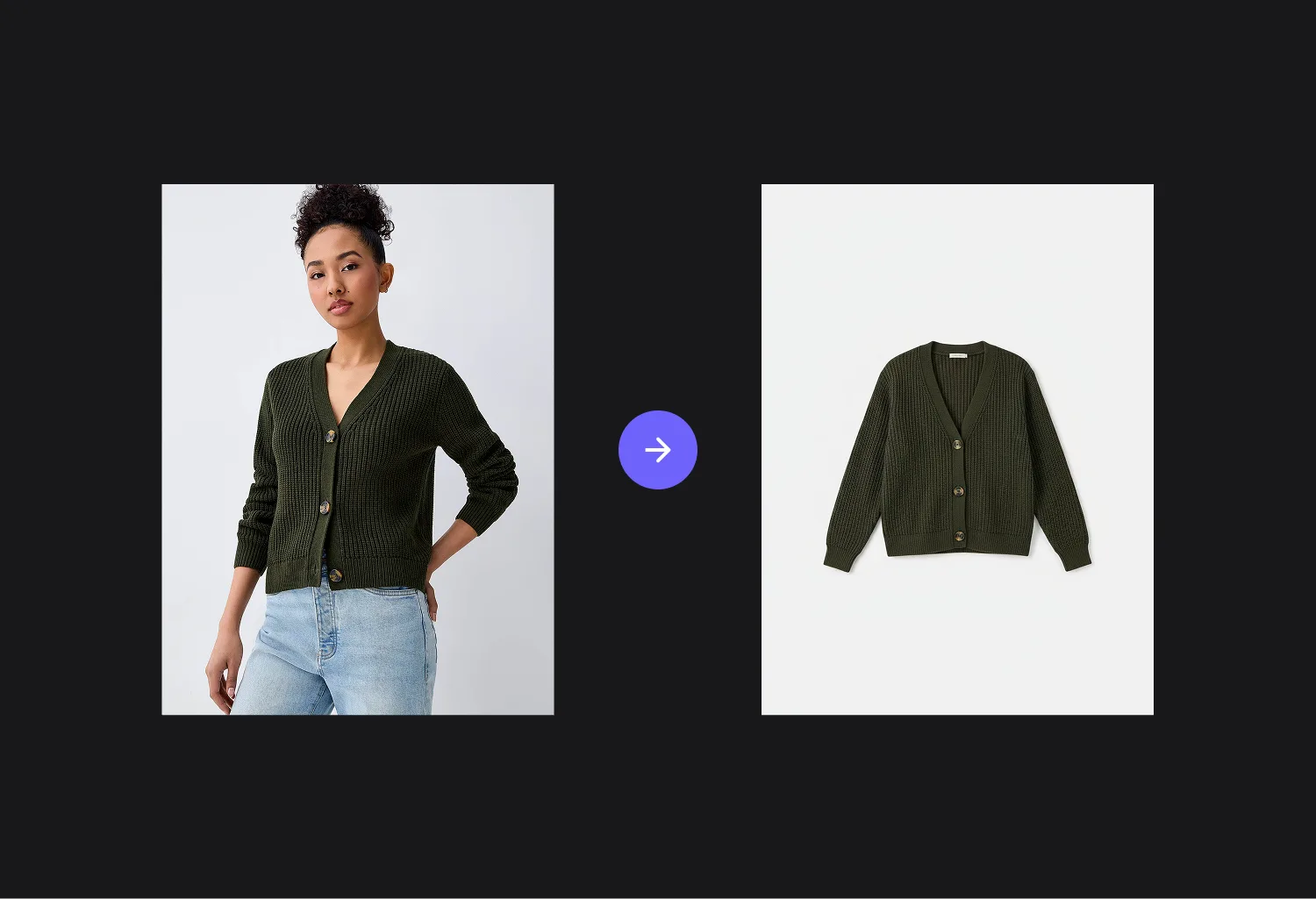
AI in furniture product imagery
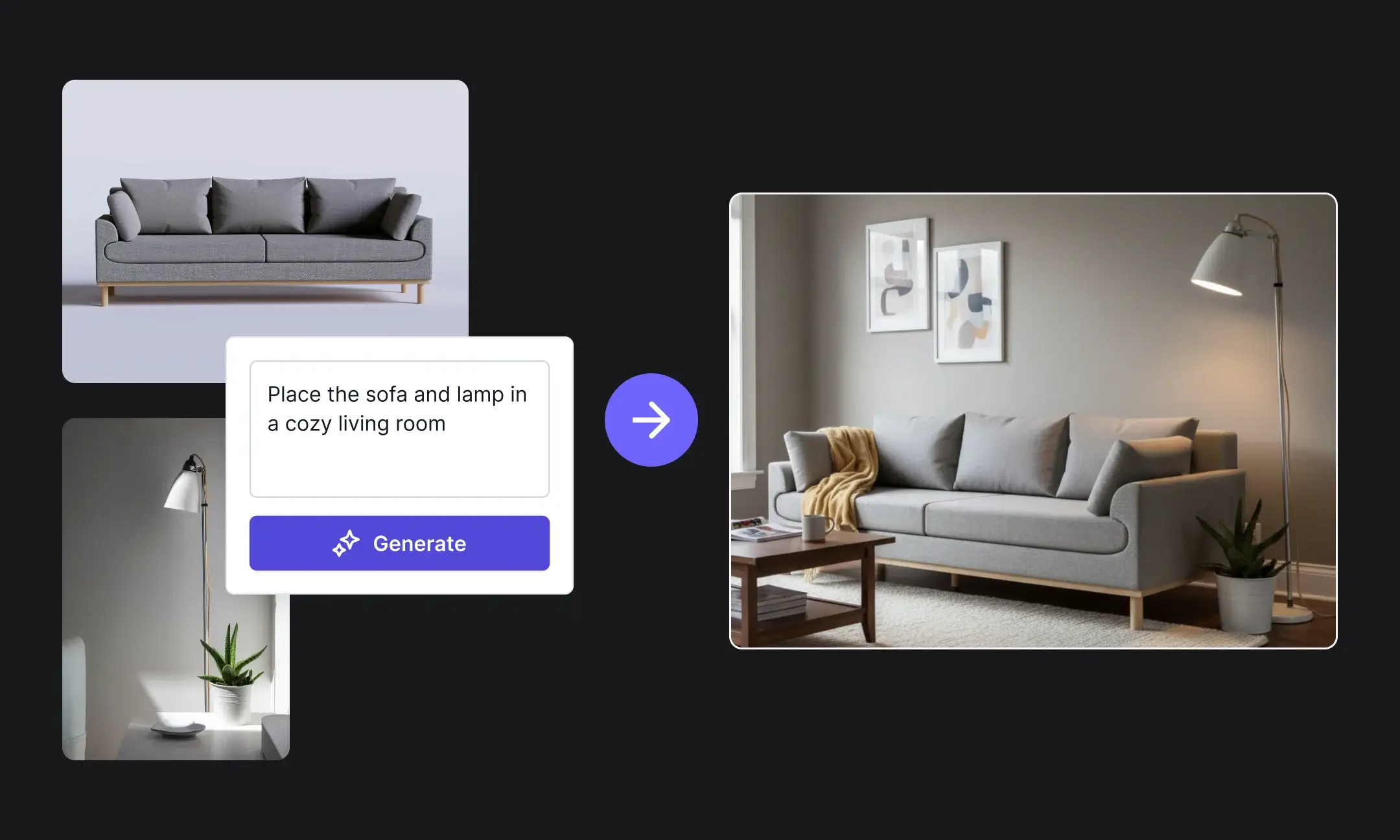
- Show the same piece in multiple interior styles like Scandinavian, modern, or rustic
- Generate close-ups of materials such as wood grain, fabric texture, or joints
- Transform simple studio shots into styled room scenes with realistic proportions
- Adjust scale and lighting so items look natural inside different rooms
AI in automotive product imagery
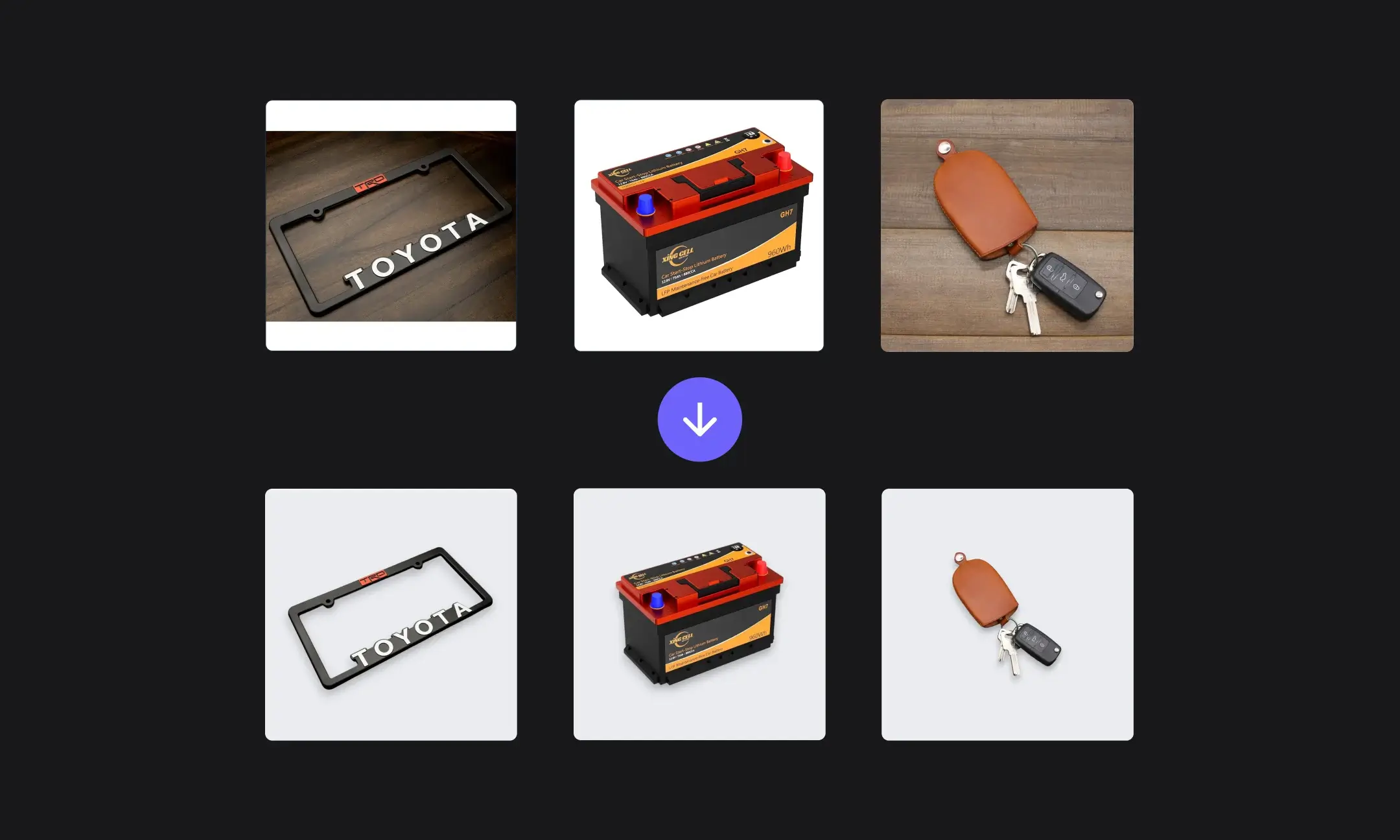
- Clean, standardize, and retouch supplier-provided photos of parts and accessories
- Create technical angle views that highlight connection points and compatibility
- Generate exploded views or isolated detail shots to help buyers understand fit
- Apply uniform backgrounds for category consistency
AI in industrial supplies product imagery
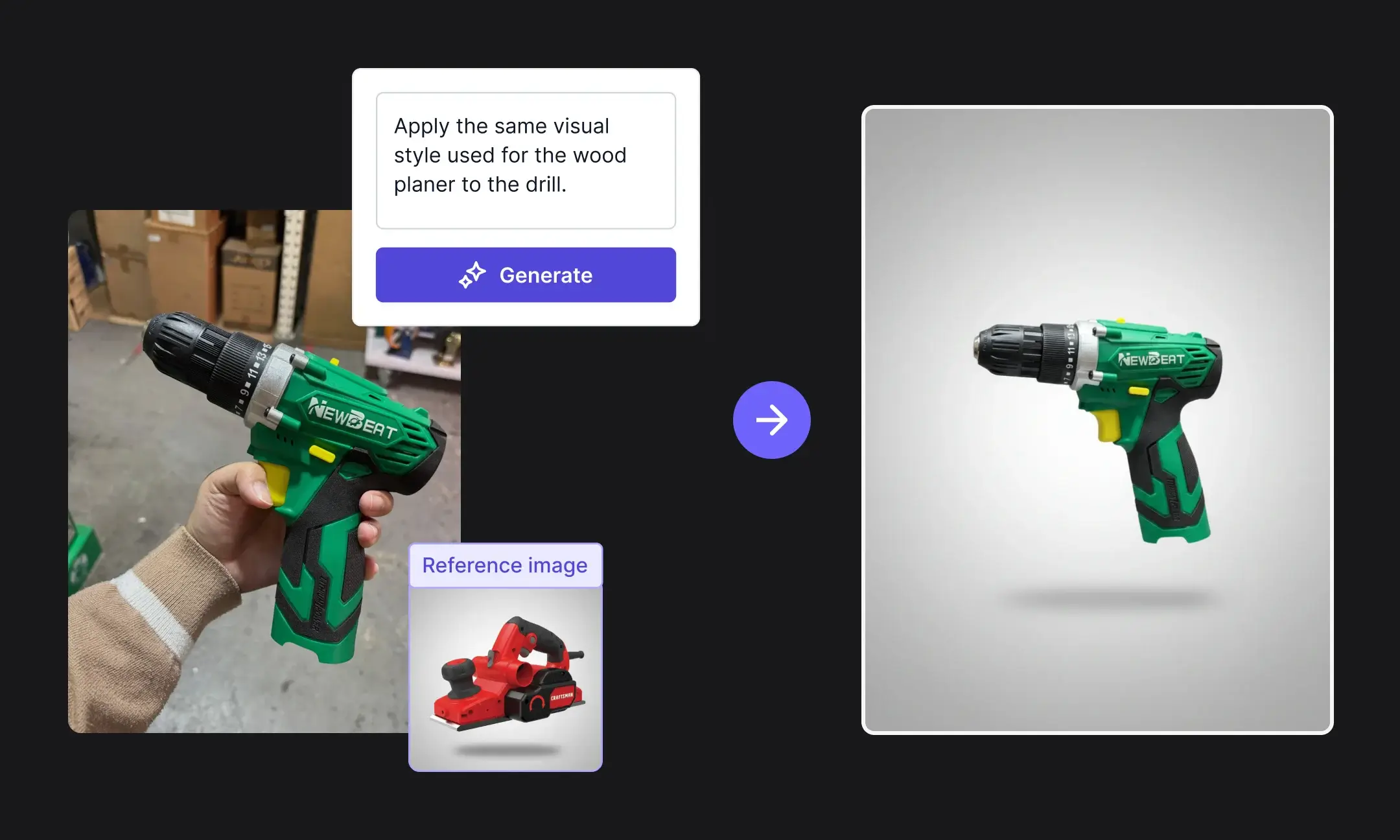
- Remove harsh shadows or clutter from quick warehouse photos
- Generate simple usage scenes to show how a tool or component functions
- Highlight scale, dimensions, or material close-ups that help buyers evaluate options
- Create variant views for items that come in different sizes or configurations (so different lengths look clearly different on your catalog)
AI in electronics product imagery
- Generate close-ups of ports, buttons, displays, and textures
- Produce missing rear, side, or angled views to give a complete understanding of the product
- Recolor devices for all variant options
- Clean up screens and surfaces without altering the product
Where automated editing fits in the ecommerce workflow
Introducing a new tool into your existing workflows can feel confusing or daunting. So here’s a simple look at how it actually fits in.
This is specifically for image editing on Hypotenuse AI.
Let’s assume you currently edit images manually, store product data in a PIM or Shopify, and keep images in a DAM.
- Import your existing images from Shopify or your DAM: Connect your catalog or upload a folder of images. Hypotenuse AI will read the files and prepare them for editing in bulk.
- Run your edits or generate new images: Choose what you want to do: background cleanup, cropping, upscaling, or resizing. Apply your settings once and let the AI handle everything in batch.
- Review and approve the outputs: You can check a few samples, make small adjustments, or re-run a batch with different settings. This acts as your internal quality control before publishing.
- Publish directly to your product pages or marketplaces: Push the final images back to Shopify, your PIM, or your DAM. Everything stays organized with your existing catalog structure.
If you prefer, Hypotenuse AI can function as both your PIM and DAM as well. It is built to store, manage, and edit product imagery at scale.
It can also enrich product data, categorize items, and generate product descriptions optimized for SEO and GEO. Having everything in one place simply makes the entire workflow smoother and easier to manage.
Conclusion
Automating parts of your product imagery workflow helps keep things moving. Whether it is editing, generating new photos, or preparing files for each channel, AI handles the repetitive work so teams can publish faster and maintain consistency across the catalog.


.avif)